The design world has been buzzing, and Viral Omega is here to cut through the noise. Google Stitch, Google’s AI-powered vibe design tool, just received a significant update, and the internet cannot stop talking about it. From designers questioning their career choices to developers ditching Figma, the conversation around this tool is loud. But does the new version actually deliver, or is it just another wave of overhyped AI promises? Let us dig into the real experience, the honest feedback, and what this means for designers and developers in 2026.
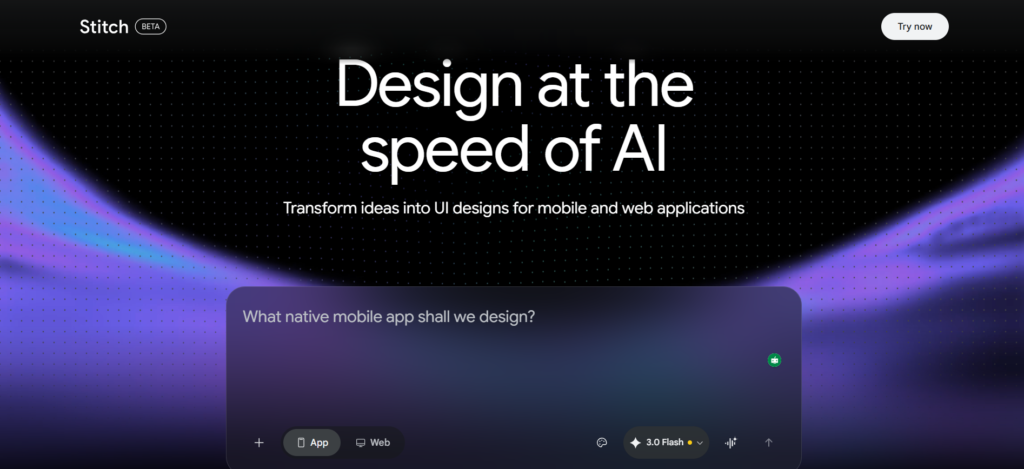
What Exactly Is Google Stitch?
Before diving into the new features, it is worth understanding what Google Stitch actually is.
- It is an infinite canvas, AI-powered design tool built for generating UI and UX layouts
- Users can generate web pages, app screens, and full design systems through simple prompts
- It supports multiple input types including text prompts, uploaded files, screenshots, and even live website URLs
- The tool can produce interactive prototypes and simulate full user flows with a single click
Available at stitchwithgoogle.com, Google Stitch offers two core modes: web and app. Users can select a model, pick a color scheme, or let the tool decide on its own. It sounds impressive on paper. The real question is how it performs when tested under actual design conditions.
The New Features Worth Knowing About
The latest update to Google Stitch brought several notable upgrades that have the design and development community paying attention.
Upgraded Rendering and Design Systems
- The tool now features an upgraded new renderer that produces sharper, more refined visual outputs
- Users can now feed Google Stitch a website URL, and it will generate a full design system based on that site’s visual language
- That design system can then be applied to entirely new projects, making it a practical tool for building consistent UI across different products
Exportable Design Markdown Files
- One of the most significant additions is the ability to export designs as a design markdown file
- This file can be taken into any text editor and integrated with other coding models like Claude or OpenAI
- For developers working across multiple projects, this means consistent AI-generated designs without starting from scratch every time
Voice-Activated Design
- Users can now speak directly to Gemini inside the tool
- Rather than typing prompts, designers can have a back-and-forth conversation about what they are building
- The tool asks clarifying questions, responds to feedback, and adjusts designs based on spoken direction
Interactive and Responsive Prototyping
- Every generated element is an actual interactive component, not a static image
- Designs can be previewed on different devices directly in the browser
- Elements can be modified individually through AI or exported into Figma for manual editing
What Does Google Stitch Actually Produce?
Here is where things get honest. When Google Stitch is given a real-world brief, such as generating a full landing page from a product requirements document, the results tell an interesting story. The prompt in question asked for a modern, professional, unique layout with at least five to six sections, optimized for desktop, with a relevant color scheme. No excessive hand-holding. Just the kind of input a real user would type.
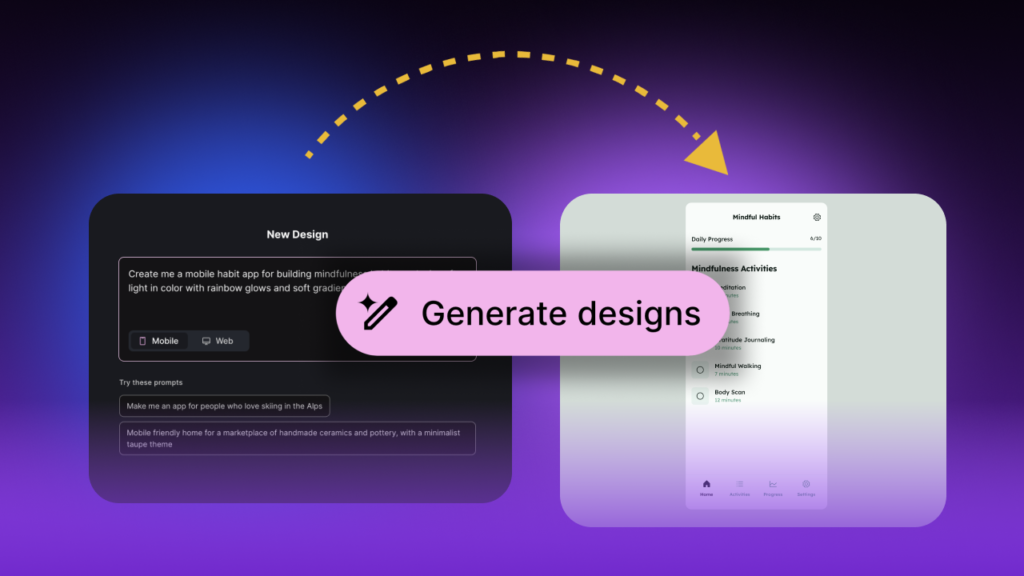
The generation was fast, wrapping up in roughly a minute. But speed means nothing if the output falls flat.
Here is what the first result actually looked like:
- The layout landed somewhere in “mid” territory, with desaturated colors that lacked any real visual energy or personality
- One section used a watermark-style background image that looked cheap and would not inspire any user to take action
- Editing was frustrating. Changing a section background color was not intuitive, with the interface only allowing edits at the individual component level rather than at the section level
- Text editing came with noticeable bugs, turning simple copy changes into an unnecessarily painful experience
When a reference screenshot from a high-quality design inspiration site was added to steer Google Stitch toward something more elevated, most generated variations actually got worse. One glass morphism attempt showed a flicker of promise but still missed the mark by a considerable distance.
The honest verdict: Google Stitch works best as a prototyping and ideation tool right now, not a finished product solution.
The Honest Reality for Designers and Developers
Both designers and developers testing the tool arrived at a similar overall verdict, though from different angles.
For developers with no design background:
- Google Stitch removes the need to start with a wireframe
- Tools like Tailwind CSS, which focused on faster implementation, are becoming less relevant as AI handles generation entirely
- The ability to steal design language from a real website and apply it to a new project is genuinely useful for people who struggle with visual decision-making
For experienced designers:
- The output quality does not replace skilled design work
- The tool lacks fine-grained control over sections, color systems, and layout decisions
- Iterative prompting can sometimes make results worse rather than better
- The gap between what Google Stitch produces and what a competent designer produces is still significant
The bigger picture:
- All vibe design tools are built on the same underlying models, primarily Gemini, Claude, and OpenAI products
- The ceiling of what these tools can produce is tied directly to those models
- Design still matters in 2026. The era where people declare design dead has not arrived yet
Who Should Actually Be Using Google Stitch?
Based on real testing and honest assessment, here is a practical breakdown of who benefits most from Google Stitch right now.
- Startup founders and solo builders who need a rough design to validate an idea quickly
- Developers who want a starting point they can hand off to a designer or refine themselves
- Designers early in their process who want rapid ideation before committing to detailed work in Figma
- Anyone building across multiple projects who wants design consistency through exportable markdown files
What Google Stitch is not yet ready to replace:
- Senior-level design work that requires strong visual judgment
- Fully polished, production-ready UI with pixel-level precision
- Complex design systems built from scratch with custom brand guidelines
The Bottom Line
Google Stitch is genuinely fast, increasingly capable, and packed with features that make it more useful than its earlier version. The voice design feature, the design system extraction from URLs, and the exportable markdown files are all real improvements that fit into modern workflows.
But the honest takeaway is this: the wow factor is not quite there yet in terms of pure design output quality. The tool produces work that feels functional but rarely exceptional. An eye for design still matters. Knowing what good looks like still matters. And until AI tools can consistently match the judgment of a skilled designer, the humans are not cooked just yet.
Google Stitch is an AI-powered digital product design tool that generates UI layouts, web pages, and app screens through simple prompts, voice commands, and reference images.
Google Stitch is accessible at stitchwithgoogle.com. Users can select different models and modes. However, advanced model options may take longer to generate compared to standard settings.
The biggest new additions in Google Stitch include voice-activated design, exportable design markdown files, URL-based design system extraction, interactive prototyping, and an upgraded rendering engine for sharper outputs.