
Viral Omega is here to walk you through the exact four-step process to not only find why you are not getting any conversions but also start to implement those important optimizations so that you can start getting some conversions and sales for your business from the money you are investing in Google Ads conversion campaigns.
Let’s start with the important first step right now.
Step 1: Is This a Google Ads Problem or Is It Affecting All Your Traffic Sources?
Before entering your dashboard, determine whether the issue is specific to Google Ads conversion or affecting all traffic sources. Compare performance across paid social, organic, and email to see if conversions are low everywhere or only in Google Ads. This helps isolate whether the problem lies in the campaign itself or in your landing page and offer.
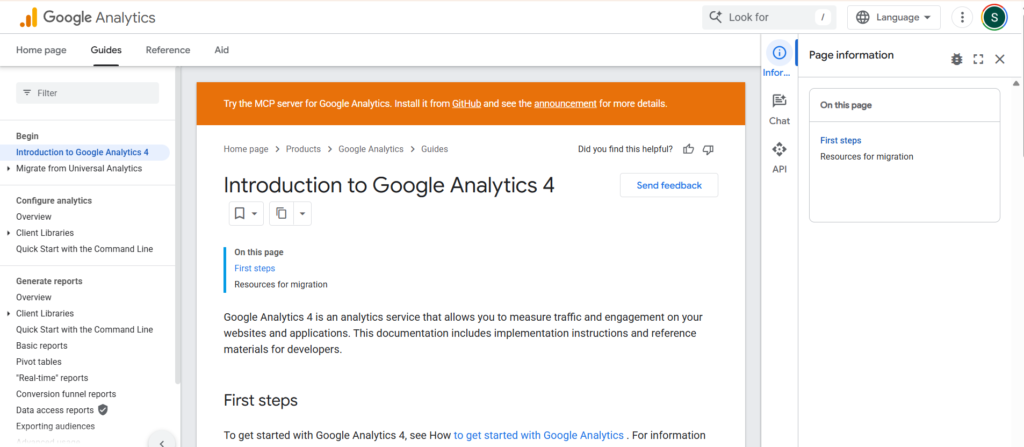
To find this out, go into Google Analytics 4 or any acquisition tool you are using and look at:
- Traffic from your different acquisition sources
- A metric called session time, or session average duration, depending on the platform
This is a baseline metric, but it will let you know really, really quickly where the problem seems to lie.
Here is how to read it:
- Less than 30 seconds on site: Indicates a targeting issue. Users click but leave quickly because the content feels irrelevant, especially under 10 seconds.
- More than 60 seconds on site: Shows interest, but no conversions point to an offer problem such as pricing, messaging, or overall value.
If you are not getting conversions across the board and people are spending at least a minute on your site, you want to spend a lot more time thinking about your offer and your landing page before you start changing too much inside Google Ads.
Step 2: Is Your Search Term Traffic Actually Relevant?
Check the relevance of your search traffic. You want to make sure that those clicks you are paying for are actually relevant to your products or your services.
This has become more and more relevant, especially in 2025 and 2026, with the age of AI overviews and AI mode, with Google making its keyword targeting broader. Many businesses think that their search term traffic is on point and relevant because they are using things like exact match keywords. But the whole thing to remember is that exact match is not actually exact match anymore because it goes on the meaning of that phrase, not just the individual keywords.
Here is how to check your search terms:
- Click on the individual campaign, then go to Insights and Reports and then Search Terms
- Go through and have a look at this search term data
- Make sure the search terms your ads are appearing for are relevant to your product or your services
- Filter down by cost so you can follow where the money goes and ask whether that spend is relevant
The easiest way to answer this: if you were looking for your own products or the services you are selling, is that what you would search for?
If you are seeing irrelevant search terms, two things need to happen:
- Add those terms as negative keywords
- Make sure your campaign structure and keyword structure are set right. More and more, what is working is one or two broad match keywords that have at least three or four words in them, then build out some really highly specific exact match keywords. You do not need that many exact-match keywords.
Where possible, using broad match is important because it is one of the main ways your ads can appear in AI Overviews and AI Mode. However, if you are in a really hyper-specific niche, you may want to be really careful with your broad match keywords.
Step 3: Are Your Ads Relevant Enough to Actually Get the Click?
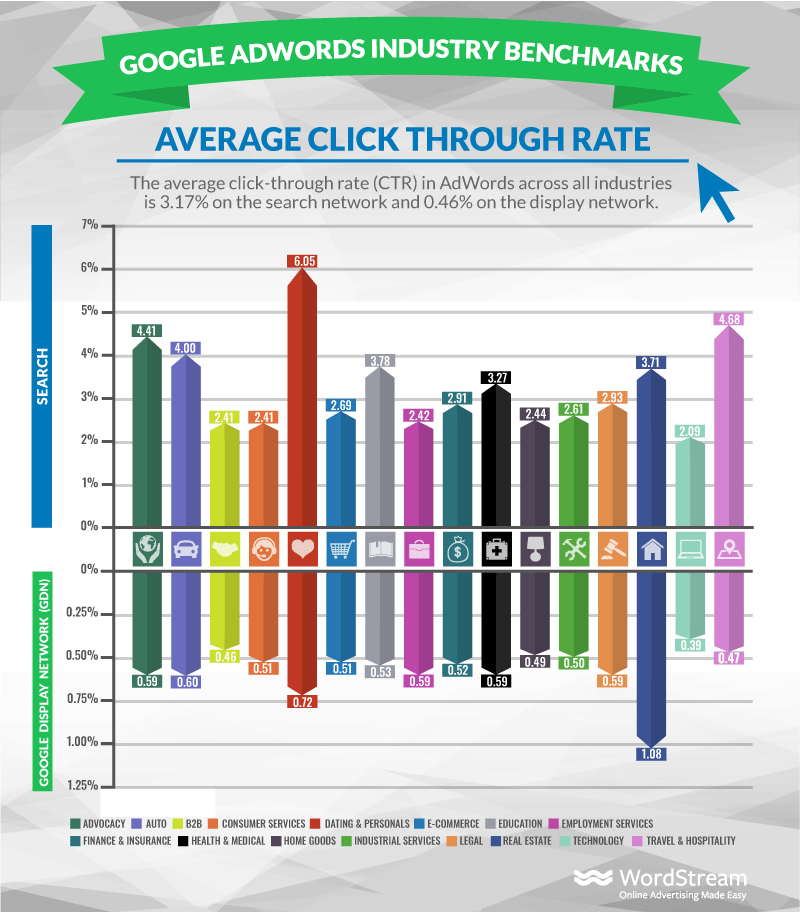
This is about checking the relevance of your ads, and the metric to look at here is your click-through ratio.
Because of the increase in growth in AI overviews and AI mode, there is a bit of a drop in click-through ratios. However, data from WordStream released over the last couple of years shows that the click-through ratio has generally been across all accounts for search campaigns around the high sixes, so 6.5 to 7. The benchmark to aim for is around 10% for your search campaigns. For shopping campaigns, that comes down to about 3%. For display campaigns, it comes down to about 1%.
What this metric tells you:
If you are getting a click-through ratio for search that is under 5%, that is really giving you some warning signs. You know the search term is relevant. If they are seeing your ad and not clicking on it, you need to really go through and think about your ad copy.
What strong ad copy looks like for better Google Ads conversion performance:
- Make sure you have the keyword focused in your ad copy
- Pull out some really clear emotional triggers
- Show ads that have objective facts in them
- Stay away from wishy-washy statements like “we are number one.”
- Wherever possible, put percentage values or dollar values in there
Specificity is what makes people stop and click. Vague claims get ignored. Concrete numbers earn trust.
Step 4: Is Your Bidding Strategy Working For You or Against You?
Your bidding strategy becomes relevant if you have had an account where you started to see month-to-month growth, you introduced a bidding strategy, and then you just saw the performance of your account start to drop.
A real example of what this looks like:
A customer actually reduced their target ROAS from 200 to 175, then down to 170. What happened with the clicks? They started to see clicks drop. More importantly, they started to see their Google Ads conversion value drop as well. That is a really clear indication that they set the wrong target ROAS.
After highlighting the issue, the target ROAS was increased back up to 200 over a 14-day period. Clicks went up. Sales started to go up. Now, it is too early to tell the exact picture because a bidding change needs to sit in for about 3 to 4 weeks before you really know where things are settling. But straight away from making that change, there was an increase in clicks, search traffic, and conversion value.
Signs your bidding strategy may be the problem:
- Clicks dropped after you changed your bidding strategy
- Conversion value fell despite no changes to ads or landing pages
- Month-to-month growth reversed right after a bid adjustment
Getting the target right is what allows Google to go out and find the right traffic at the right cost. Set it too aggressively and the system tightens up. The result is fewer clicks and fewer Google Ads conversion opportunities for your business.
Conclusion
That is the four-step process to go through if you are spending money in Google Ads and not getting any conversions at all. It is not about guessing. It is about working through each layer, one step at a time, until you find exactly where the breakdown is happening.
Clicks without conversions usually indicate issues beyond traffic. It could be poor targeting, weak ad relevance, or problems with your landing page and offer not aligning with user expectations.
Search campaigns typically average around 6.5% to 7%, with strong performance closer to 10%. Shopping averages 3%, while display campaigns generally perform around 1%.
Keyword relevance is critical. Irrelevant search terms waste budget and attract low intent users. Regular audits and negative keywords help improve traffic quality and conversion potential.